ZERMELO GAME is an online game that helps students understand and consciously use the expressions all, at least one and none. The goal is to score as many points as possible in a set time by answering the questions shown on screen.
On the start page you choose which quantifiers to play with (you can also choose both), the setting (that is, the kind of objects that appear on screen: colours, polygons, numbers or bags), the level and the time available. You can also turn on the negation mode and the witness mode, explained below.
Levels and settings are meant for a gradual development of skills. The polygons setting also needs skills from the space and figures topic area, the numbers setting from the numbers topic area, while the colours and bags settings concern only the logic topic area.
- Quantifier ALL
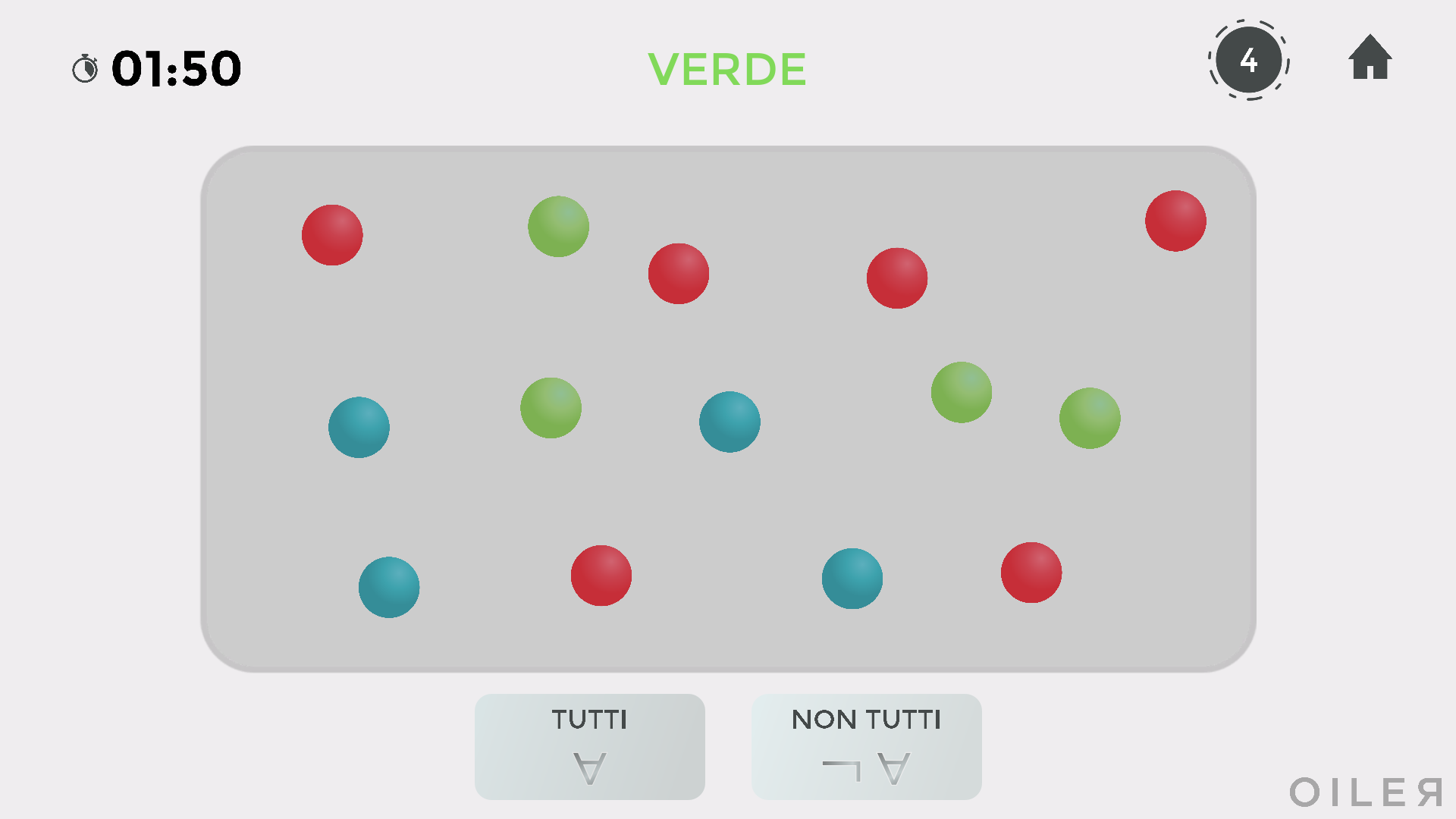
The player has to decide whether all or not all the elements of a set have a given property (written at the top).
In the example in the picture the right answer is NOT ALL, because not all the balls in the set are green.
-
Quantifier AT LEAST ONE
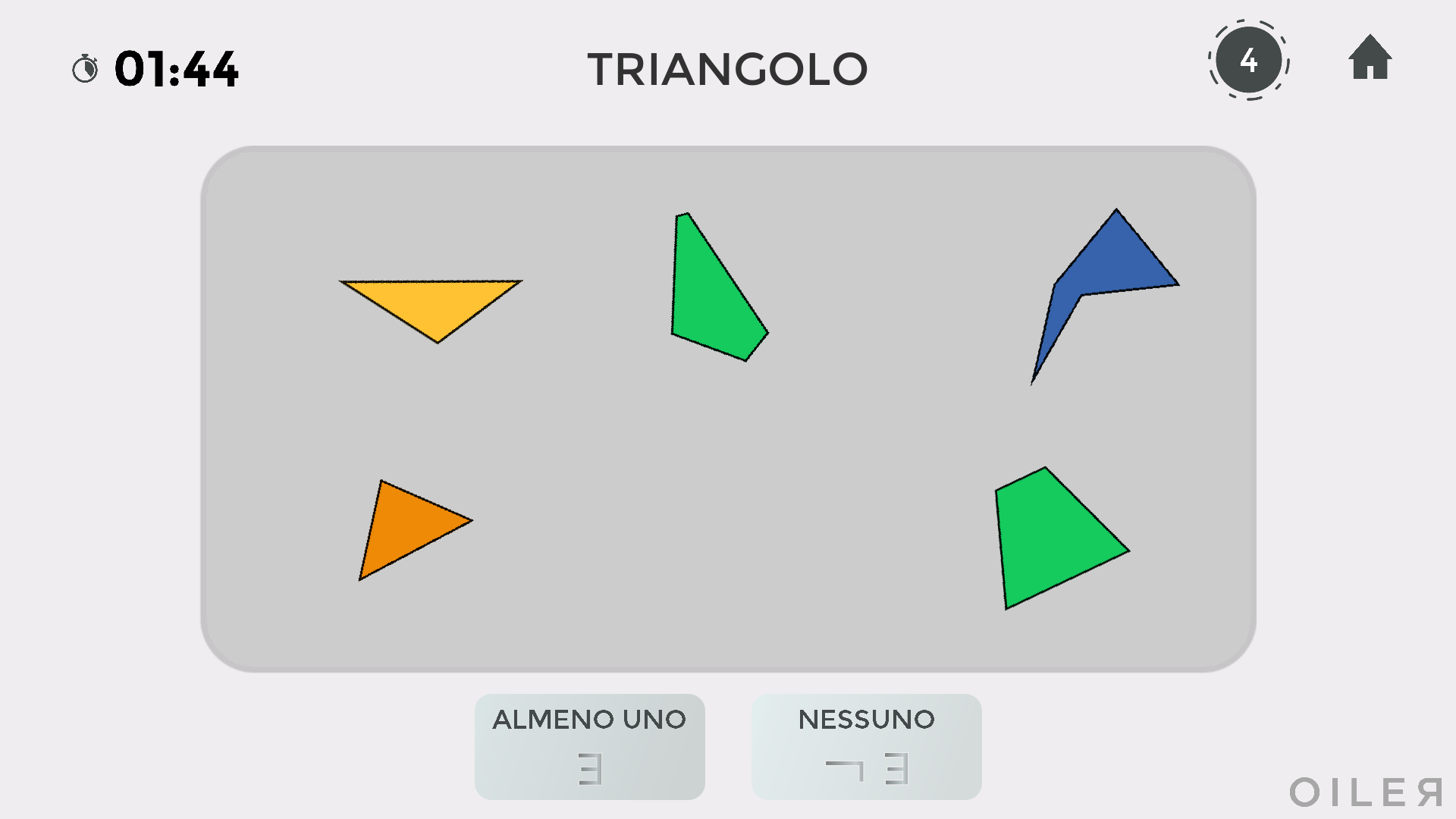
The player has to decide whether at least one or none of the elements of a set has a given property.
In the example in the picture the right answer is AT LEAST ONE, because at least one of the shapes is a triangle.
COLOURS
In the colours setting, the screen shows balls coloured red, green or blue. The properties at the top are RED, GREEN and BLUE.
POLYGONS
LEVEL 1
The elements are polygons (flat shapes bounded by segments) and the properties are TRIANGLE, QUADRILATERAL, PENTAGON and HEXAGON (polygons with more than 6 sides do not appear).
LEVEL 2
Level 2 adds the property EQUILATERAL to those of level 1. A polygon is equilateral if all its sides are equal. In the same way, a polygon is not equilateral if at least two of its sides are different.
Remember that an equilateral quadrilateral is commonly called a rhombus (from the Greek rhómbos, meaning spinning top).
LEVEL 3
Level 3 adds the properties AT LEAST TWO EQUAL ANGLES, AT LEAST TWO EQUAL SIDES, A RIGHT ANGLE and AN OBTUSE ANGLE to those of levels 1 and 2. The properties "a right angle" and "an obtuse angle" mean "the polygon has at least one right/obtuse angle": in everyday language "at least one" is very often left unsaid.
The properties "at least two equal angles" and "at least two equal sides" only refer to triangles. The class will notice that the two properties are equivalent: a triangle has at least two equal angles if and only if it has at least two equal sides. Such a triangle is commonly called isosceles (from the Greek isoskelḗs, where ísos means equal and skélos means leg).
LEVEL 4
From level 4 on, the answer buttons change slightly and use more symbols: instead of the word all only the symbol ∀ appears, and instead of at least one only the symbol ∃. The symbol ∀ comes from ALL, while ∃ comes from EXISTS (there is at least one).
Level 4 adds the property AT LEAST TWO PARALLEL SIDES.
A triangle cannot have two parallel sides, while a quadrilateral with at least two parallel sides is usually called a trapezium (from the Greek trapézion, meaning small table).
LEVEL 5
Level 5 adds the properties EQUIANGULAR and REGULAR. A polygon is equiangular when all its angles are equal, and regular when it is both equiangular and equilateral.
An equiangular quadrilateral is commonly called a rectangle (if all the angles of a quadrilateral are equal, they are all right angles), while a regular quadrilateral (both a rectangle and a rhombus) is commonly called a square.
NUMBERS
LEVEL 1
At level 1 of numbers, the numbers from 1 to 9 appear with the properties EVEN and ODD.
A number is even when there is a number that, added to itself, gives the starting number. For example, 10 is even because 10 = 5 + 5, and 0 is even because 0 = 0 + 0. A number that is not even is odd.
LEVEL 2
Level 2 adds GREATER and LESS to the properties of level 1. Here the numbers go up to 100.
LEVEL 3
Level 3 adds the properties DIVISIBLE BY 3, DIVISIBLE BY 4, DIVISIBLE BY 5 and LAST DIGIT.
BAGS
In this setting alternating quantifiers appear for the first time: the player has to deal with sentences such as "every bag contains at least one blue ball" or "at least one bag has only blue balls", that is, sentences with two quantifiers.
Look at the following situation.
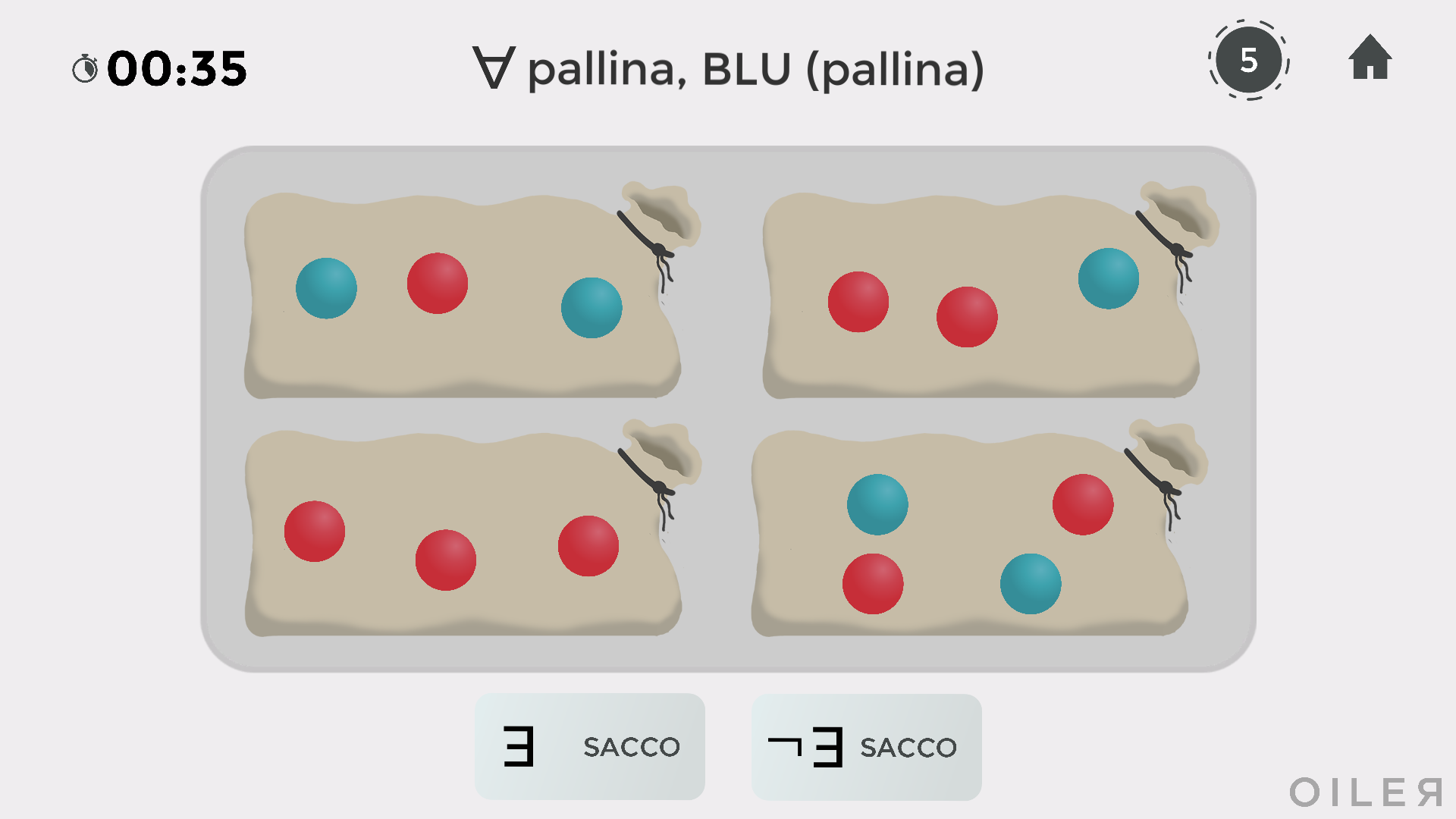
At the top is the property that refers to each bag, ∀ ball, BLUE(ball), to be read as "for every ball, that ball is blue" or "all the balls are blue". The notation BLUE(ball) is the one introduced in the BUL pathway.
At the bottom the question is whether there is a bag with this property, that is, a bag whose balls are all blue. The answer is no, so you click the button "¬ ∃ BAG".
As a second example, look at the following situation.
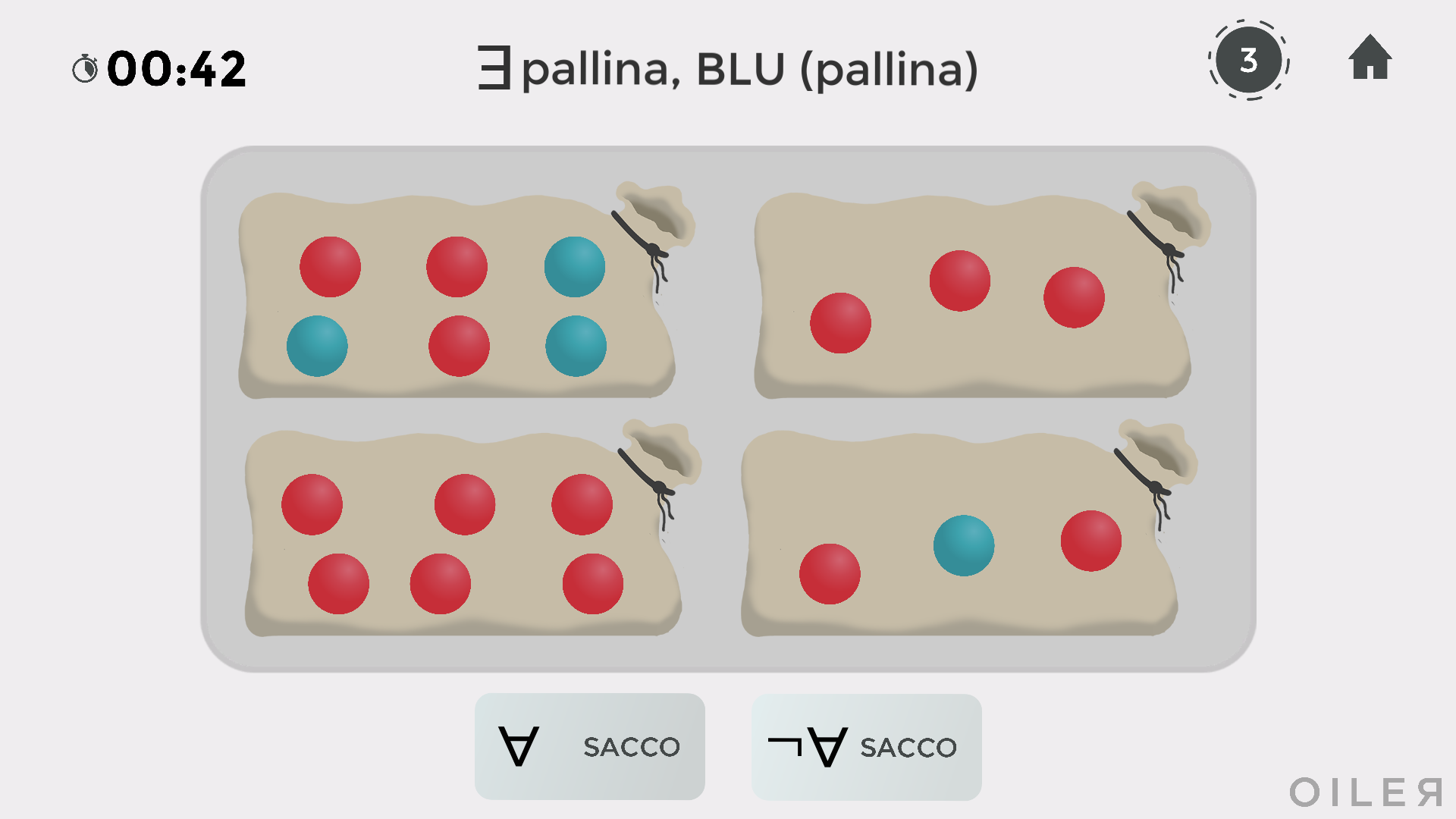
At the top is the property that refers to each bag, ∃ ball, BLUE(ball), to be read as "there is a blue ball" or "at least one ball is blue".
At the bottom the question is whether all or not all the bags have this property, that is, whether every bag contains at least one blue ball. The answer is no, so you click the button "¬ ∀ BAG".
WITNESS MODE
If you select Witness Mode on the start page, a new rule is added.
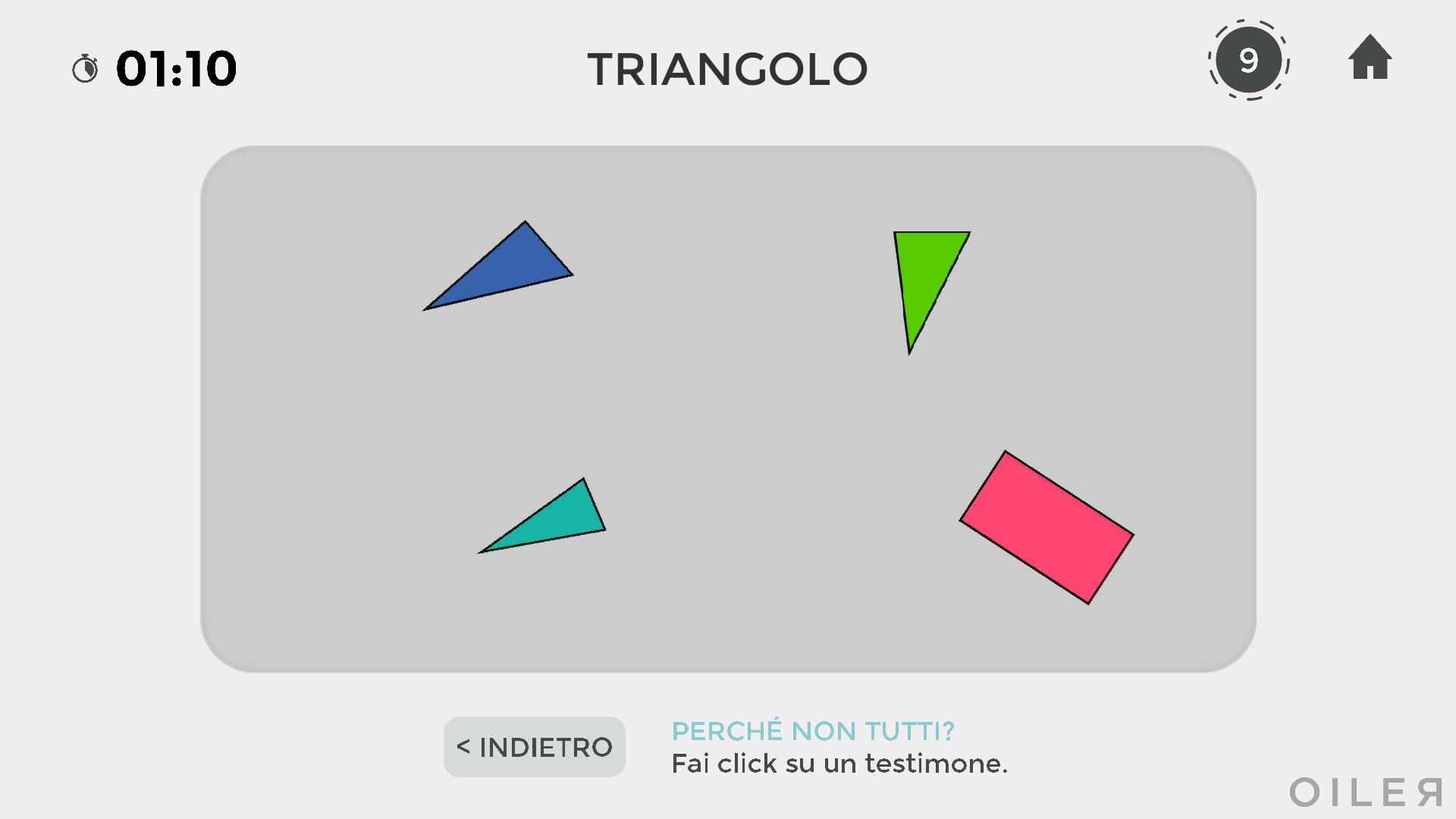
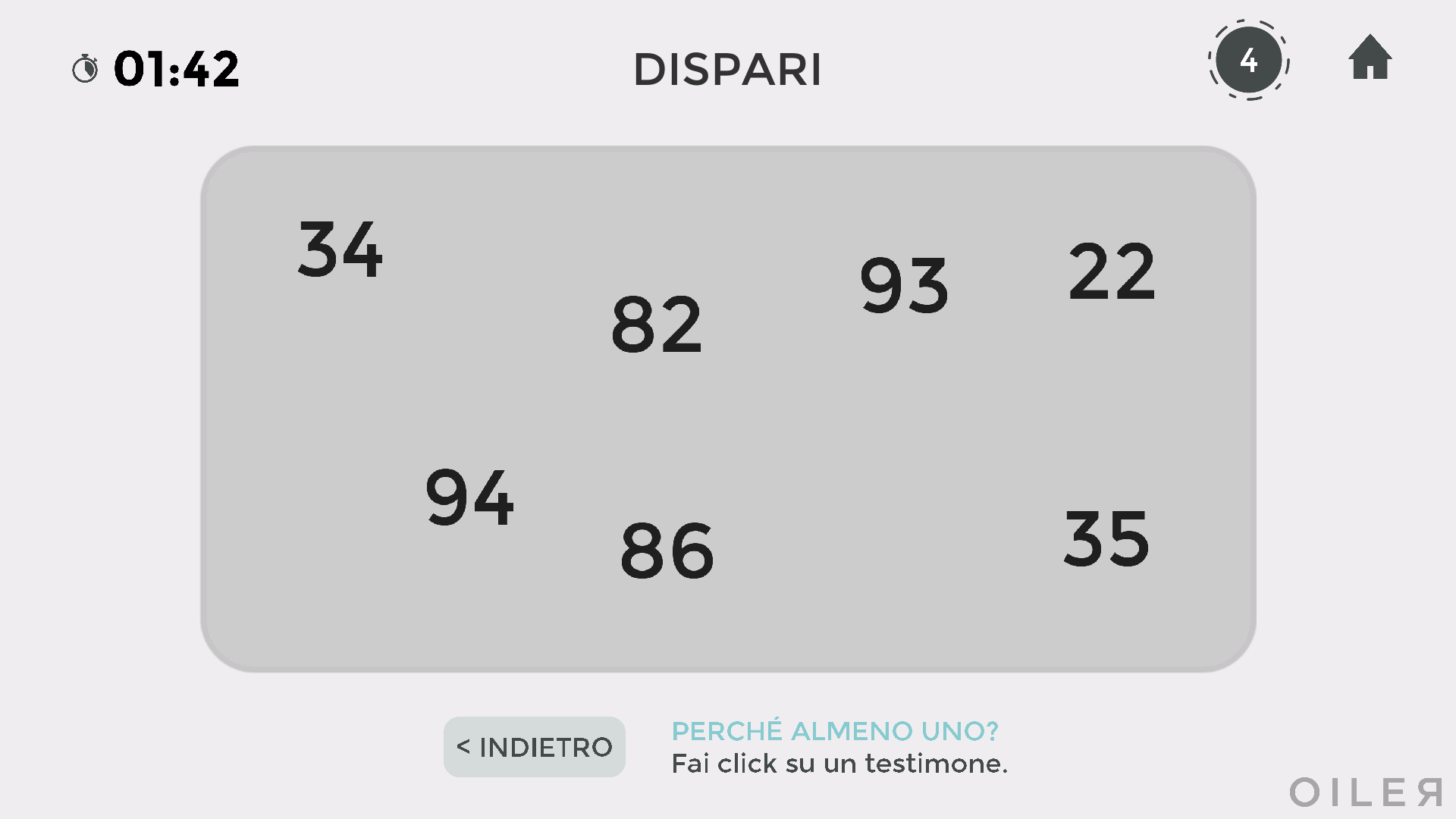
When you click "not all" or "at least one" (that is, when you give an existential answer), you have to give a witness, that is, point to an object that proves your choice.
After "not all" you have to click an object that does not have the property shown. For example, in the following picture, after clicking "not all" you have to select a polygon that is not a triangle, here the pink rectangle.
In the same way, after "at least one" you have to click an object that has the property shown. For example, in the following picture, after clicking "at least one" you have to select an odd number, here 93 or 35.
BAGS AND WITNESS MODE
Witness mode in the bags setting follows the same principle but is more complex: here there is a real dialogue between the player and the computer. An example makes this clearer.
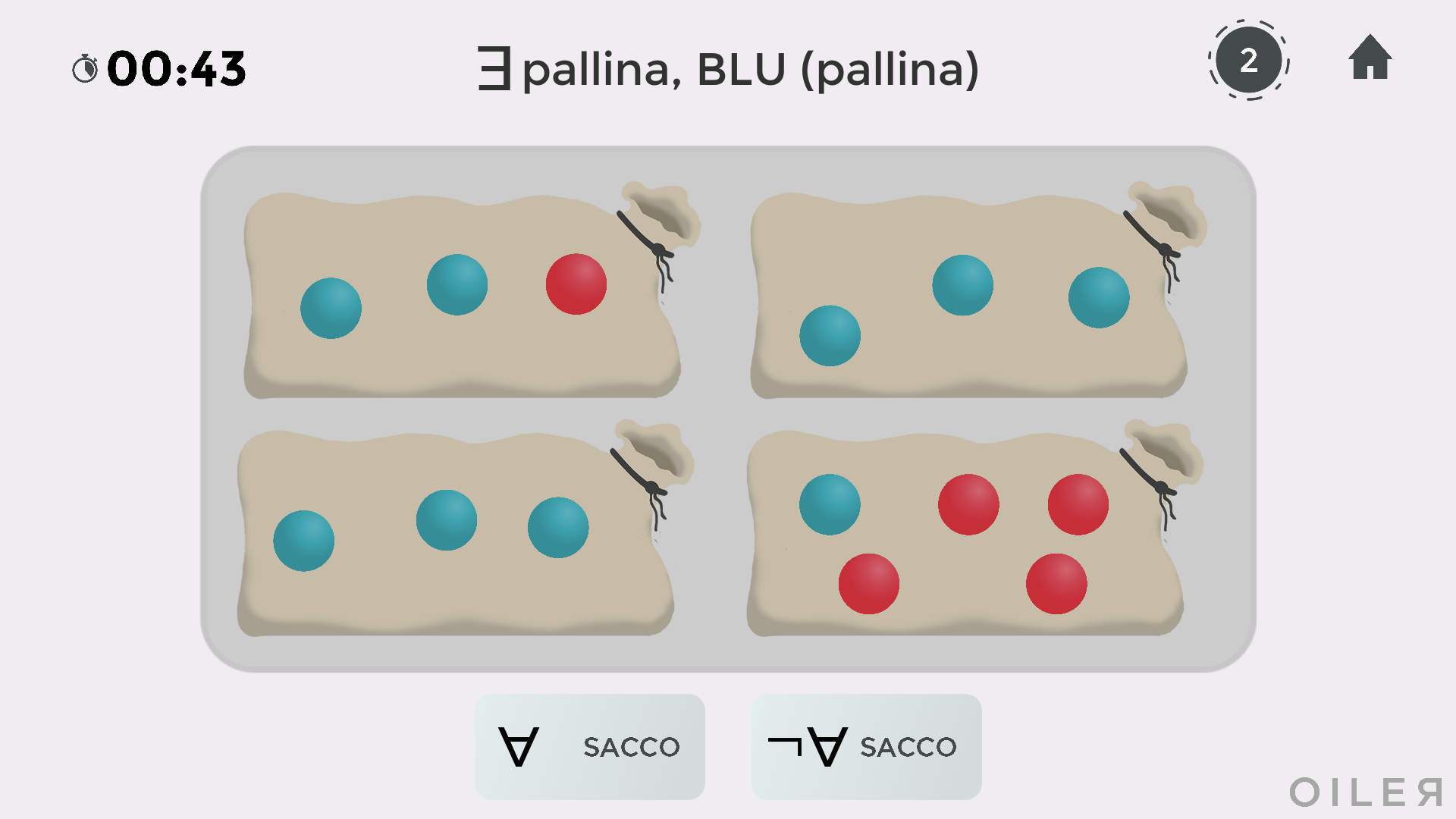
If you claim that every bag has at least one blue ball, then whichever bag the computer chooses, you must be able to find a blue ball in it.
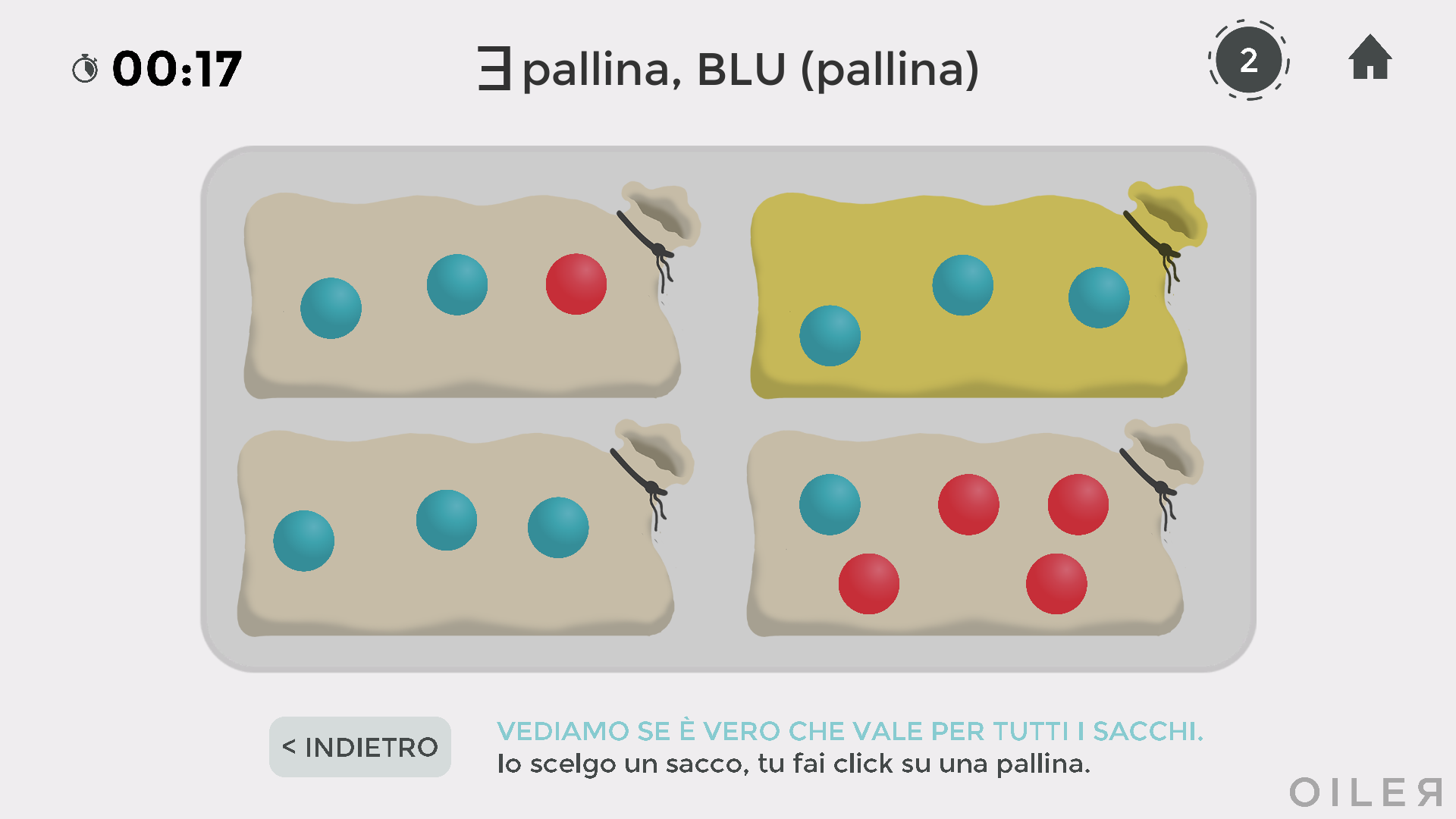
Here are some possible cases, as examples:
- if you claim that all the bags have only red balls, you do not need to do anything (0 clicks in total);
- if you claim that not all the bags have only red balls, you click a bag with at least one blue ball, then click a blue ball (2 clicks in total);
- if you claim that at least one bag has only red balls, you click the bag whose balls are all red (1 click in total, on the bag);
- if you claim that every bag has at least one red ball, you click a red ball in a bag chosen by the computer (1 click in total, on a ball).
NEGATION MODE
If you select negation mode, the properties at the top also appear in negated form. The symbol ¬ is read as "not".
For example, being ¬ GREEN means "not being green", so in the game either red or blue. In the same way, being ¬ EVEN means "not being even", that is, odd.
In the following situation, the question is whether at least one ball is not blue, so red or green.
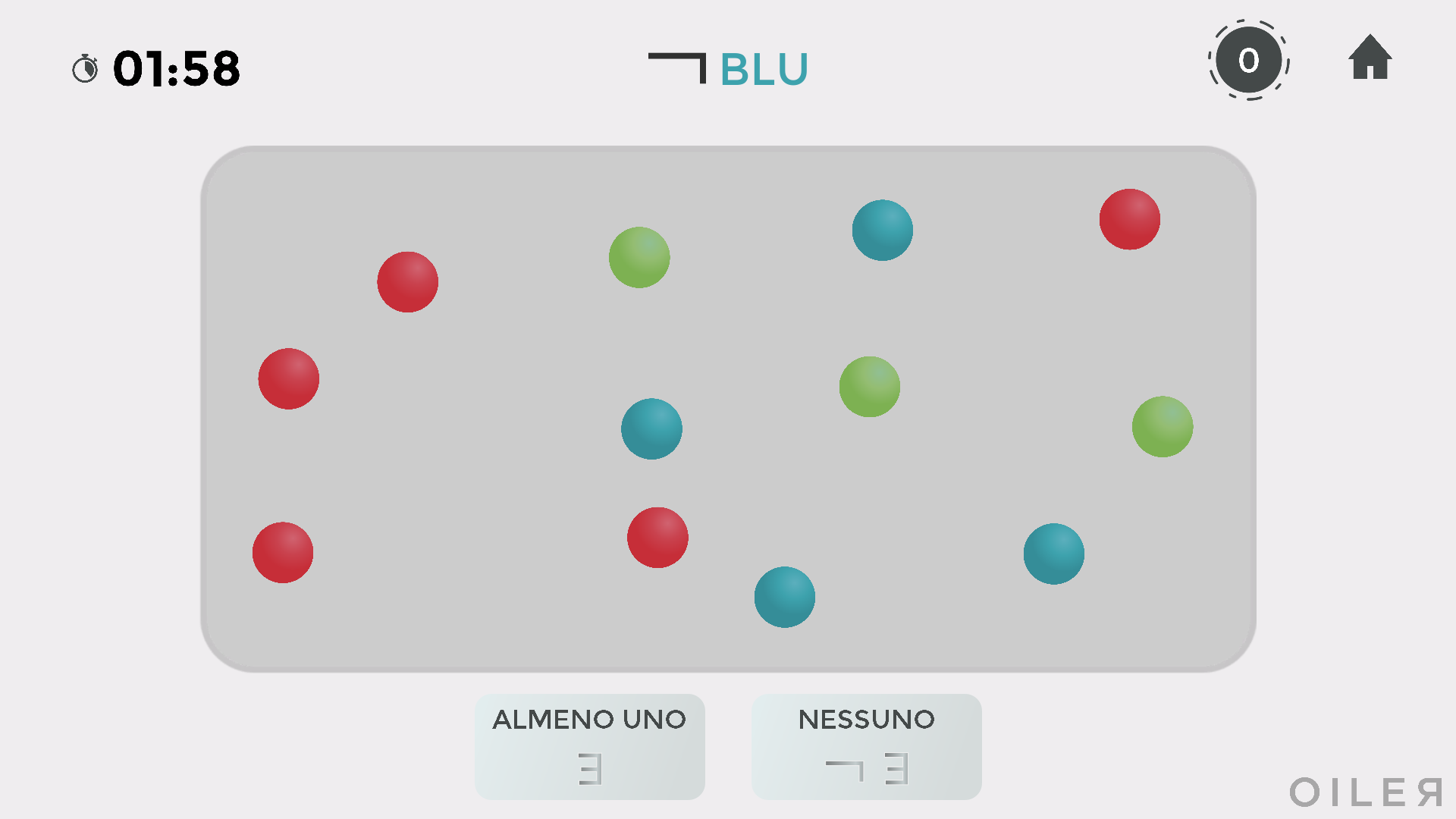
The answer is clearly yes. If you are also playing in witness mode, you then click a red or a green ball.
The case in the picture below deserves attention, as it is not simple.
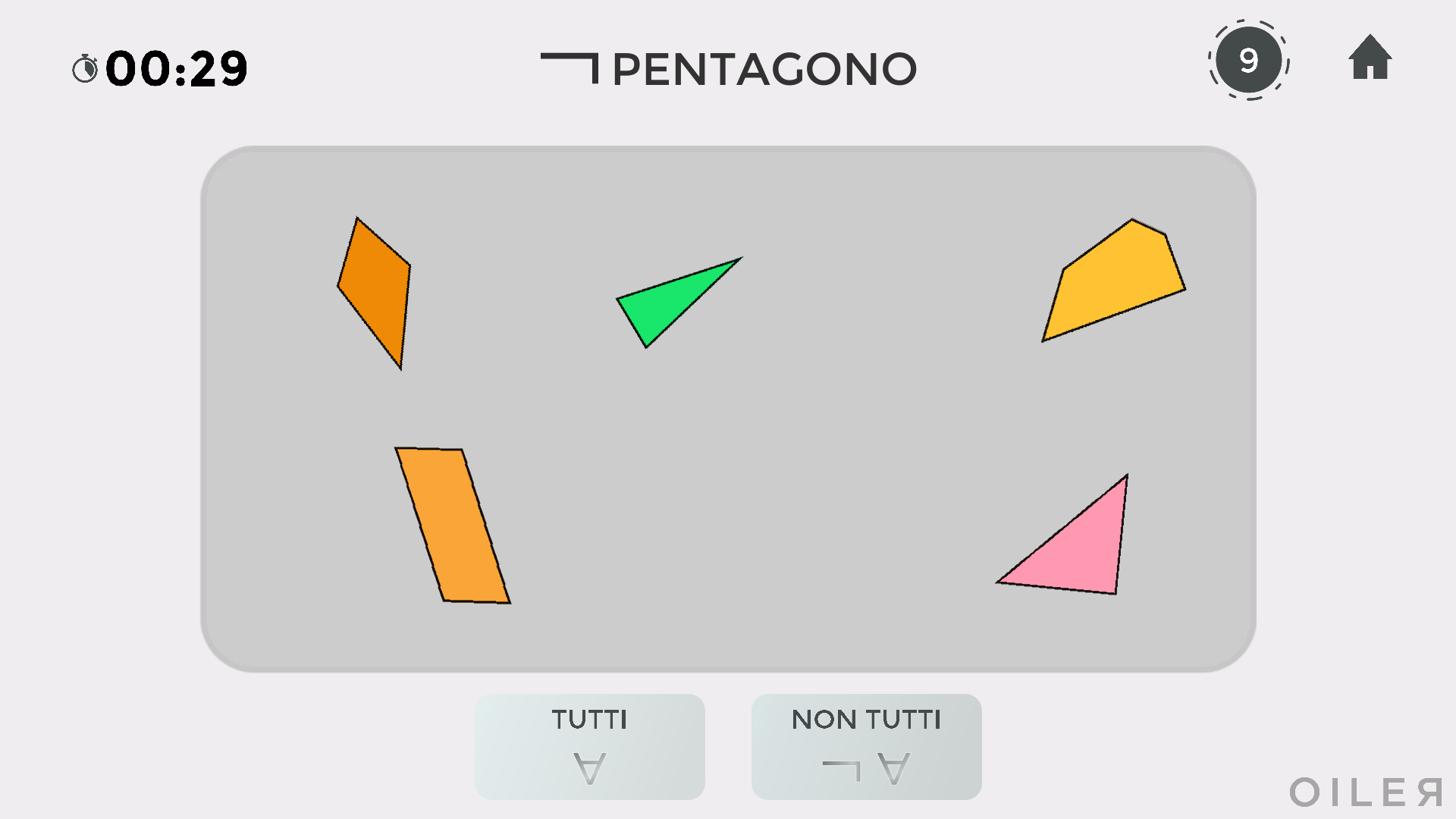
In the game, being "not a pentagon" means being a triangle, a quadrilateral or a hexagon. So in the picture not all are non-pentagons, because the yellow polygon at the top right does have 5 sides. If you are playing in witness mode, you have to click the pentagon itself.




 More software